How to See Blocked Numbers on iPhone (2025 Step-by-Step Guide)
How to See Blocked Numbers on iPhone: The Hidden List Most People Forget Exists
You don’t think about blocked numbers…
Until one day, your stomach drops.
That moment when someone says,
“Hey, I tried calling you so many times.”
And you swear — you never saw a single missed call.
That’s exactly where I was.
A quiet evening. Phone on the table. The tea is going cold. And a sudden realization —
What if I blocked them… accidentally?
If you’re searching for how to see blocked numbers on iPhone, you’re not alone. Millions of iPhone users block numbers in anger, panic, or during spam floods — and then forget where those numbers go. Let’s break down what you’ll learn next.
Today, I’ll walk you through:
- Exactly how to see blocked numbers on iPhone
- How to check messages from blocked numbers on iPhone
- What really happens when you block someone
- Silent mistakes that make people think messages are lost forever
- And hidden iOS tricks Apple never clearly explains.
You won’t be getting a robotic guide or dry steps here. Instead, expect real-world iPhone use — the good, the messy, and the fixable. Let’s dig into your search intent first.
Table of Contents
Search Intent Breakdown (Why You’re Really Here)
If you searched how to see blocked numbers on iPhone, you likely want to:
- See who you blocked
- Recover missed calls or messages.
- Unblock someone
- Confirm if an important contact is stuck in the blocked list.
- Or just understand what blocking actually does on iOS.
This guide covers every single angle.
How to See Blocked Numbers on iPhone (The Main Method)
Let’s start with the exact official way Apple hides in plain sight.
Method 1: Through Phone Settings (Most Reliable)
This is the primary way to see blocked numbers on iPhone:
- Open Settings
- Scroll down and tap Phone.
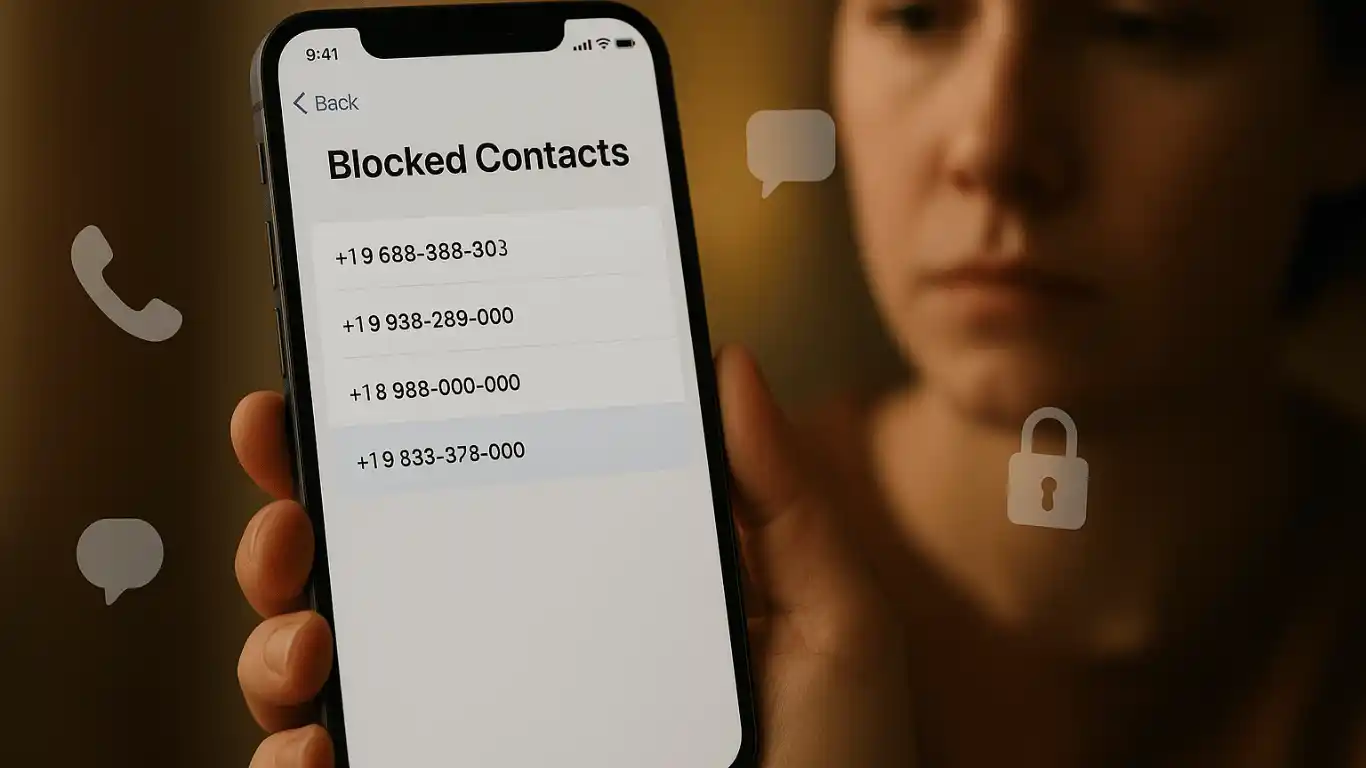
- Tap Blocked Contacts
- You will now see the complete list of blocked numbers and contacts.
That’s it.
This list updates in real time. Every number you’ve ever blocked, whether by calls, messages, or FaceTime, appears here.
This is the most accurate answer to:
- How to see blocked numbers on iPhone
- How to see the blocked numbers on iPhone
How to See Blocked Messages on iPhone (The Honest Truth)
This part disappoints many people, so let me be brutally honest.
You cannot see messages from blocked numbers on an iPhone while they are blocked. Apple completely filters them out.
That means:
- No notifications
- No preview
- No hidden inbox
- No “Spam” folder like Android
So What Happens to Blocked Messages?
They never reach your phone at all.
The sender thinks the message was delivered.
You see absolutely nothing.
This is one of the most misunderstood aspects of how to see messages from blocked numbers on iPhone.
Can You Recover Messages After Unblocking a Number?
Short answer: No
Once you unblock:
- You will only receive future messages.
- Old blocked messages are permanently lost.
- There is no iCloud recovery trick for this.
I learned this the hard way after blocking a delivery driver during spam hours. When I unblocked him, the order was already canceled.
Painful lesson
How to Unblock a Number on iPhone
Since you now know how to see blocked numbers on iPhone, here’s how to reverse it:
- Go to Settings → Phone → Blocked Contacts.
- Swipe left on the number.
- Tap Unblock
Or:
- Open the blocked contact.
- Tap Edit
- Scroll down → Unblock this Caller
Immediately:
- Calls start coming through.
- iMessages are delivered normally
- FaceTime works again
How to See Blocked Numbers via Messages App
Many users accidentally block themselves from iMessage and then forget where they did it.
Here’s how to trace it:
- Open Messages
- Open any conversation
- Tap the contact name/photo.
- Tap Info
- Tap Block this Caller
If already blocked, it will show Unblock this Caller.
Still, the master list remains under:
Settings → Phone → Blocked Contacts
Real-Life Scenarios People Face with Blocked Numbers
Let me show you real situations where people desperately search for how to see blocked numbers on iPhone:
Scenario 1: Accidentally Blocked a Bank
Spam calls were pouring in. You blocked one. Turns out… it was your bank’s fraud team.
Now OTPs aren’t coming. Panic hits.
Solution → Check the blocked list immediately.
Scenario 2: Relationship Miscommunication
Blocked during an argument. Cooled down later. Now you’re unsure if they tried reaching out.
Harsh truth → Their messages are gone forever.
Scenario 3: Parents or Elderly Users
Many seniors accidentally block numbers while rejecting calls.
They later wonder:
“Why is nobody calling me anymore?”
Again → Blocked list holds the answer.
Advanced iOS Blocking Behavior: Most Websites Don’t Explain.
Here’s what really happens under the hood when you block:
| Feature | What Happens |
| Phone Calls | Silently rejected |
| iMessages | Never delivered |
| SMS | Filtered at network level |
| FaceTime | Auto-declined |
| Voicemail | Goes to Blocked folder |
Very few guides explain this properly.
How to See Blocked Voicemails on iPhone
Yes, blocked callers can leave voicemails, but they’re hidden.
Here’s how to see them:
- Open Phone App
- Tap Voicemail
- Scroll down to Blocked Messages
Most users never scroll that far.
This is one of the biggest blind spots in how-to guides on seeing blocked numbers on iPhone.
How to Know If Someone Blocked YOU on iPhone (Reverse Check)
Not directly your query — but many readers need this:
- The call goes straight to voicemail.
- iMessage stays blue but never delivers
- FaceTime instantly fails
Still, Apple gives no confirmation.
Only patterns… never proof.
Common Mistakes People Make While Blocking
These mistakes create 90% of the confusion:
- Blocking from Recents accidentally
- Blocking a delivery driver
- Blocking a bank’s OTP number, forgetting to unblock after spam season
- Assuming blocked messages are stored somewhere
They are not.
Pro-Level Tips iPhone Experts Use
Here are advanced habits I personally follow:
- Always label unknown callers.
- Review the blocked list once a month.
- Never block OTP providers permanently.
- Use Focus Mode silencing instead of blocking when emotional.
- For spam → Use Silence Unknown Callers, not blocking every number.
iOS Version Differences (Important for 2025)
On:
- iOS 16 → Basic blocked list
- iOS 17 → Better contact handling
- iOS 18 → Improved spam detection + voicemail filtering
But how to see blocked numbers on iPhone remains unchanged across all versions.
Comparison: Blocking vs Silence Unknown Callers
| Feature | Blocking | Silence Unknown |
| Calls | Fully blocked | Goes to voicemail |
| Messages | Never delivered | Delivered |
| Spam Reduction | Strong | Moderate |
| Risk of Missing Important Calls | High | Low |
Experts recommend Silence Unknown instead of mass blocking.
Emotional Truth Most Guides Ignore
We block in anger.
We unblock in regret.
Technology records both.
Blocking isn’t just a setting — it often reflects emotional moments, stress, overload, protection, even fear. Understanding how to see blocked numbers on iPhone isn’t just a technical skill. It’s a way to clean emotional clutter from your digital life.
Step-by-Step Quick Summary
- Go to Settings → Phone → Blocked Contacts
- View all blocked numbers instantly.
- Swipe left to unblock
- Blocked messages cannot be recovered.
- Blocked voicemails are visible under Voicemail → Blocked Messages.
FAQs
1. Can I see blocked numbers on iPhone without going to settings?
No. Apple only allows viewing through Settings → Phone → Blocked Contacts.
2.How can I view messages on my iPhone from prohibited numbers?
You cannot see past blocked messages. They are never stored on your device.
3. Will I get old messages after unblocking a number?
No. Only future messages will arrive.
4. Does blocking someone delete previous chats?
No. Old chats remain; only new ones are blocked.
5. How to see the blocked numbers on iPhone for FaceTime?
The same blocked list applies across Phone, Messages, and FaceTime.
6. Can blocked numbers still leave voicemail?
Yes, and they appear under Voicemail → Blocked Messages.
7. How often should I check my blocked list?
At least once a month, especially if you get important calls.
8. Does blocking affect WhatsApp or Telegram?
No. iOS blocking only affects Phone, SMS, iMessage, and FaceTime.
9. Can I block without the person knowing?
Yes. They receive no notification.
Conclusion
If you’ve read this far, you now know more about how to see blocked numbers on iPhone than most everyday users — maybe even more than some Apple support agents.
Blocked numbers don’t disappear.
They wait.
Quietly.
In a hidden list.
And sometimes, buried in that list, is:
- A missed apology
- A job offer
- A delivery call
- A family emergency
Technology doesn’t judge.
But it also doesn’t remind you.
So now that you know exactly how to see blocked numbers on iPhone, take a minute…
And look.
Because sometimes the most important calls are the ones we blocked by mistake.